Alright folks, today I wanna dive into something super practical that I just finished figuring out for our agency setup: how to really nail down managing client ad budgets using Airwallex. It sounds simple, but when you’re juggling ten different clients, each with their own budgets and spending quirks, it gets messy real fast.
The Mess Before the Magic
So, before I started this whole Airwallex deep-dive, we were doing things the old-fashioned way. We had a couple of corporate cards, right? We’d assign one card—or sometimes just a virtual card linked to the same pool of funds—to handle all the ad spend. Say, Client A needed $5,000 for Facebook and $3,000 for Google this month. We’d manually track this in a horrible spreadsheet.
The problem? Overspending happens. Not maliciously, but systems like Google Ads or Meta sometimes have delayed reporting, or a sudden spike hits, and BAM! You’ve blown Client A’s budget by $500, and now you have to explain that awkward conversation. Plus, reconciling those lumped-together statements at the end of the month? Pure agony. Trying to figure out which $50 charge belonged to whom was a nightmare.
The Airwallex Solution I Built
I realized we needed hard, financial fences between the clients’ money and our operational funds, and even between clients themselves. Airwallex made this surprisingly easy once I wrapped my head around their ‘Wallets’ and ‘Cards’ structure.
Step 1: Setting up the Client Wallets
First thing I did was create dedicated wallets for each active ad-spend client. So, I have a “Client B – Ad Spend” Wallet, a “Client C – Ad Spend” Wallet, and so on. This immediately segregates the cash. If Client B deposits $10,000 for their campaign, it goes straight into their specific wallet. No commingling.
- This solved the auditing headache instantly. The balance in the wallet is the remaining budget.
- It also helped with multi-currency clients, as Airwallex handles the currency management within the wallet pretty smoothly.
Step 2: Implementing Budget Controls with Virtual Cards
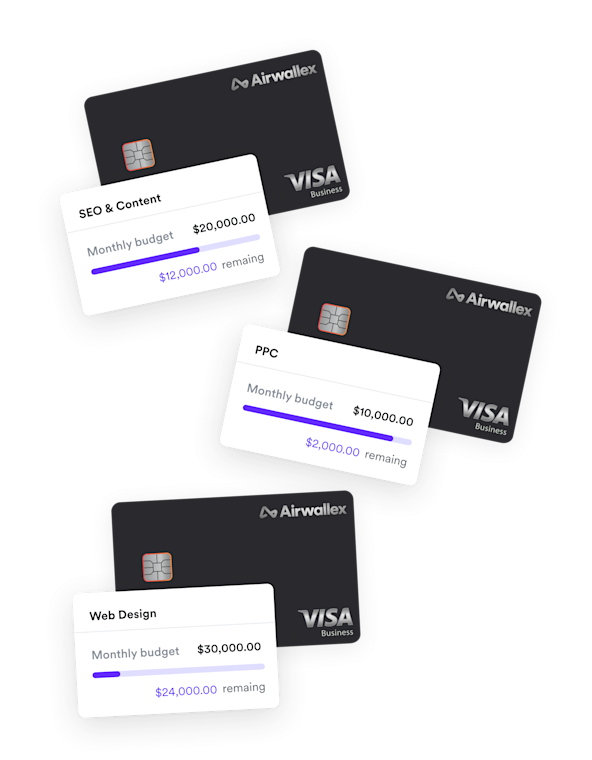
This is where the real control comes in. For each ad platform (Facebook, Google, TikTok) that Client B uses, I created a specific virtual card linked ONLY to the “Client B – Ad Spend” wallet.
For example:
- Virtual Card 1: Name it “CB-FB Ads”. Link it to the Client B Wallet. Set a hard spending limit of $5,000 monthly.
- Virtual Card 2: Name it “CB-GGL Ads”. Link it to the Client B Wallet. Set a hard spending limit of $3,000 monthly.
The beauty here is that these limits are enforced by the card issuer. If Google tries to charge $5,001 on the $5,000 card, the transaction is rejected. No more accidental overspending.
Running the System and Tracking
The implementation was pretty quick—took me about an afternoon to set up all ten client structures. The ongoing management is where we save huge amounts of time.
Every time a client sends their new budget, we push it into their named wallet. The virtual cards automatically refresh their limits (if set monthly) or we adjust them slightly if necessary for a specific campaign surge.
When we review platform spending, we don’t have to guess which transaction is what. The Airwallex dashboard shows every virtual card’s usage instantly. We export the transaction history for “CB-FB Ads,” and every line item is already labeled correctly. We just match it against the Facebook invoice, and we’re done. Reconciliation went from days of painful sorting to about an hour per month across all accounts.
The confidence this gives us when talking to clients about spending is great too. We can show them the exact wallet balance and say, “This is what you have left, guaranteed,” because the funds are physically constrained by the card limits we set. No more worrying about sneaky background charges eating into someone else’s budget pool. It was a solid move and something I wish I’d implemented six months ago!