The Shopify “Native” Integration: Is It Worth the Switch?
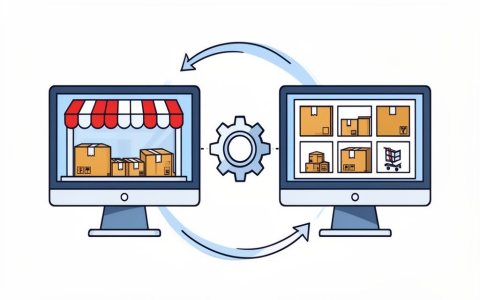
So, I finally pulled the trigger and tried out the much-hyped “native” integration for Shopify. For ages, I’ve been messing around with third-party connectors and APIs to keep my inventory and order fulfillment in sync. You know the drill—a little Zapier here, a custom script there, always felt like I was duct-taping two systems together. It mostly worked, but man, the headaches when something broke, especially during high-volume sales. Constant fiddling. I was sick of it.
My old setup was pretty standard. We ran all our main business operations, inventory, and accounting in a separate ERP system. Shopify was just the storefront. Every order that came in had to be pushed to the ERP, inventory levels pulled back, and shipping confirmations synced. This was done via a middleware that, let’s be honest, felt brittle. Any minor update on either Shopify’s side or the ERP side usually meant a few days of debugging and hotfixes. Time suck, big time.
I started looking seriously into the native option when I saw the features list promising seamless, real-time sync without external brokers. Sounded too good to be true, but I needed that stability, especially since we’re planning to scale up next quarter.
Phase 1: Initial Investigation and Planning
- First thing I did was map out all the current data flows. I needed to know exactly what the native integration needed to replicate and improve upon. Orders, refunds, customer data, inventory counts, pricing updates—the whole shebang.
- I spent a week just reading documentation and watching the official demos. Honestly, the documentation was surprisingly dense in some areas and thin in others. Felt like they assumed a level of prior knowledge I didn’t quite have regarding their specific data structure.
- The biggest hurdle early on was convincing myself that I could trust a purely native solution to handle all the complexity we’d built into the ERP processes.
Phase 2: The Test Environment Setup
I cloned our main Shopify store into a development instance—super important, never test these big integration changes on your live site, that’s just asking for trouble. Then, I set up a mirrored test environment for the ERP. The key was keeping the data sets small and manageable for initial testing. I didn’t dump everything in there; just enough products and recent orders to cycle through all the critical paths.
The configuration process for the native integration itself was smoother than I expected. It wasn’t just connecting APIs; it was more about defining mappings. Telling Shopify which field in the ERP corresponds to which field in the storefront. This is where I hit the first real snag.
Turns out, one of the custom fields we use heavily for tax categorization in our ERP wasn’t natively supported in the standard Shopify flow. I had to loop back and figure out a workaround—ended up having to push that information into a product tag field in Shopify and then pull it out again on the ERP side post-order. Annoying, but doable.
Phase 3: Stress Testing and Data Integrity
This is where the rubber meets the road. I started simulating high traffic. I used scripts to drop hundreds of test orders simultaneously, followed by cancellations and refunds. I watched the inventory counter like a hawk.
What I immediately loved was the speed. The real-time updates were actually real-time. With the old middleware, there was always a noticeable lag, sometimes up to a minute or two, which could lead to overselling during peak hours. With the native setup, the sync felt almost instantaneous. When an order hit Shopify, the inventory deduction hit the ERP within seconds. That reliability alone was a massive win.
However, I found a few edge cases around partial fulfillment. If we only shipped half an order and updated the status, sometimes the native integration got confused about how to mark the remaining items in the ERP. I had to tweak the fulfillment workflow slightly on the Shopify end to make sure it spoke the ERP’s language clearly.
Conclusion: The Switch is Worth It, But Be Prepared to Adjust
After running the test environment flawlessly for two weeks, I migrated the live store last weekend. It was scary, but everything went smoothly. The stability payoff has been huge. We’ve dropped the costly middleware subscription, and more importantly, my team isn’t spending hours every week resolving sync errors. The system just works.
My final takeaway is this: the native integration is absolutely worth the switch if you are struggling with reliability using third-party tools. But be warned: “native” doesn’t mean “zero customization.” You still need to be willing to look hard at your existing data structures and sometimes adjust your internal ERP processes to match the native flow. It’s an integration, not magic, but it’s a heck of a lot more robust than what I had before.