Connecting Airwallex to Xero: Does the Bank Feed Break?
Okay, so I finally got around to setting up the Airwallex bank feed in Xero. Been putting it off for ages, thinking it would be a huge headache, you know? Airwallex is great for managing global stuff, but integrating it smoothly with accounting software—that’s always the kicker.
I started by just logging into my Xero account. Standard stuff. Navigated straight to the ‘Accounting’ menu, and then ‘Bank accounts.’ I clicked ‘Add Bank Account’ and typed in Airwallex. It popped up immediately, which was a good sign. Sometimes you have to dig around for those international finance platforms.
The next step was pretty much what I expected: Xero redirected me to the Airwallex login screen. I put in my credentials, clicked through the standard two-factor authentication rigmarole, and then Airwallex asked me which accounts I wanted to authorize Xero to access. This is where I paid close attention. I have a few different currency wallets in Airwallex—USD, AUD, EUR. I made sure to select all the ones I actually use for transactions that hit the books.
After clicking ‘Confirm’ on Airwallex’s side, it sent me straight back to Xero. Xero showed a confirmation message, asking me to map the new Airwallex feeds to existing Xero bank accounts, or create new ones. Since I hadn’t manually set these up before, I opted to create new bank accounts in Xero for each Airwallex wallet—’Airwallex USD,’ ‘Airwallex AUD,’ etc. It felt cleaner that way, avoiding any messy mergers with previous manual entries.
The Initial Sync: The Moment of Truth
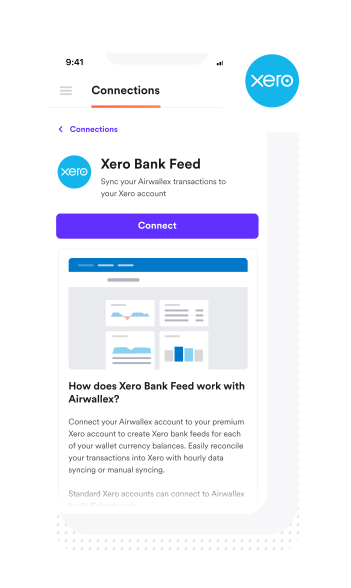
Once everything was mapped and confirmed, Xero started pulling the transactions. This is where the worry set in. Would the feed be patchy? Would it miss transactions? Especially transfers between the different currency wallets within Airwallex—those internal movements are often what cause bank feeds to totally glitch out.
I sat there watching the little spinning wheel for maybe two minutes. Then, boom. Transactions started appearing. Xero pulled about a month’s worth of historical data automatically, which was actually a relief, because I was expecting maybe only the last week.
I went line by line. I grabbed my recent Airwallex activity export and cross-referenced it with what Xero imported. Here’s what I found:
- All external payments and receipts (money coming in from clients, money going out to vendors) were perfectly matched. The dates and amounts were spot on, including the exchange rates used by Airwallex.
- Internal transfers between my Airwallex wallets? This is where I thought it would fail, but surprisingly, they came through fine too. They showed up as a withdrawal from one Xero account and a corresponding deposit into the other, which is exactly how you want it for reconciliation.
The Real Test: Ongoing Reliability
The setup was smooth, and the initial data pull was great. But the big question is, does the bank feed break down after a few days? I’ve been running this setup for about three weeks now, actively using Airwallex for payments and receivables.
What I’ve noticed is that the feed isn’t instantaneous, which is common for third-party providers. Transactions usually appear in Xero within 12 to 24 hours of them being finalized in Airwallex. That’s totally manageable for monthly reconciliation.
I did have one small hiccup last week. A payment I made on a Monday morning didn’t show up until Wednesday afternoon. I checked the Airwallex status page, and they actually had some minor API maintenance going on. As soon as that cleared up, the transaction popped through without me having to manually force a sync or disconnect/reconnect anything. So, it seems resilient enough to handle those temporary outages.
Verdict? It Doesn’t Break (Yet)
Honestly, connecting Airwallex to Xero was much easier and more stable than I anticipated. The feed is robust, it handles the multi-currency aspect well, and most importantly, those tricky internal transfers didn’t cause the system to implode. If you’ve been putting off this integration like I was, you can relax. Go ahead and connect it.